
Public beta · open source · self-host on one box or Kubernetes
Database, API, apps,
in one project.
Excalibase is an open-source platform as a service: Postgres and DocumentDB, GraphQL and REST generated from your schema, realtime, storage, edge functions and container hosting. Use Studio, or self-host it on one machine or on Kubernetes.

Everything a product needs, in one place.
Every project gets these. Use one, or all of them together.
Postgres
Postgres, with every tool in reach.
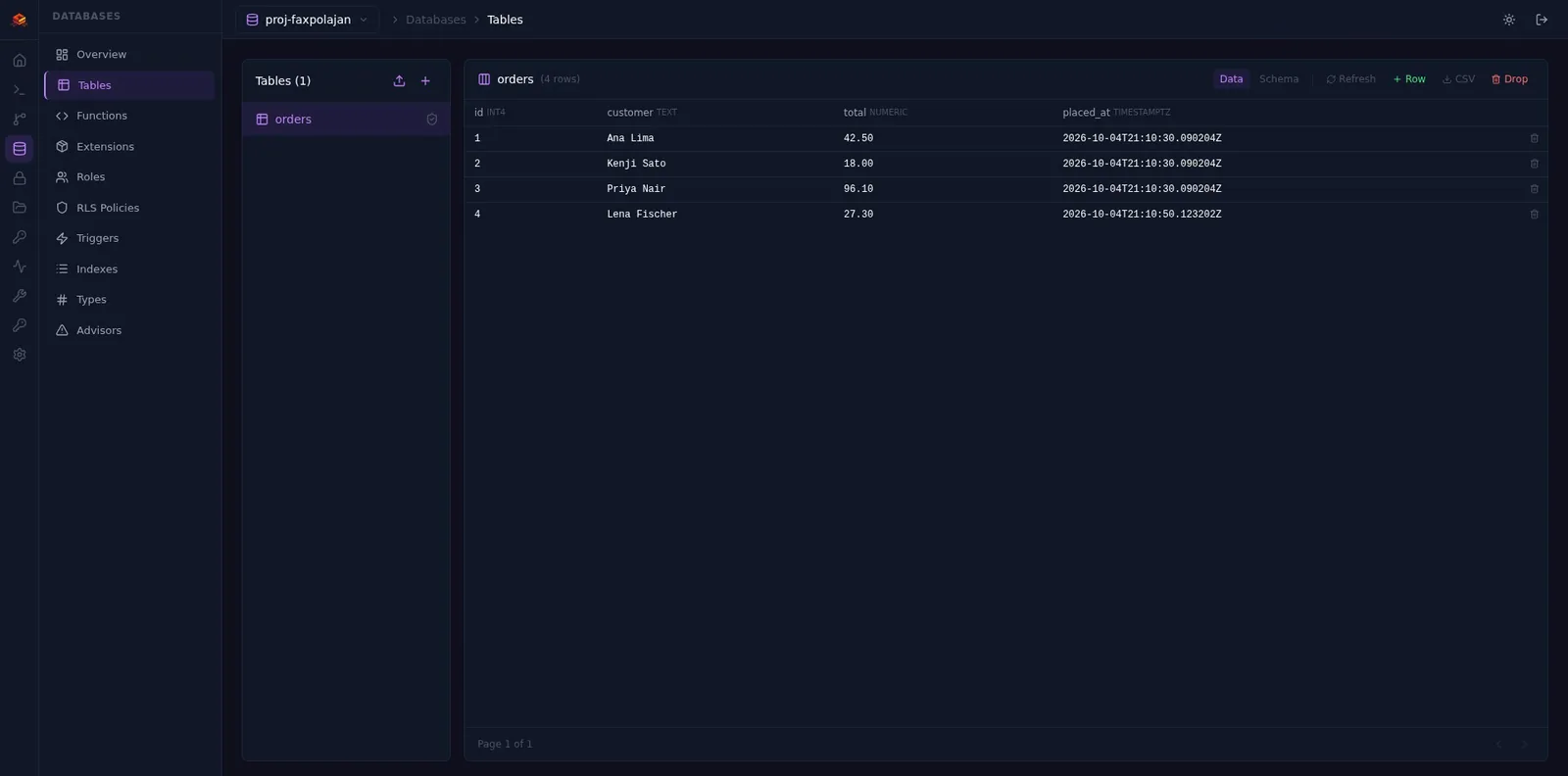
Pick Postgres 15, 16 or 17 when you create the project, then shape it in Studio without leaving the browser.
- Table editor and SQL editor
- Roles, row-level security policies, triggers, indexes and extensions
- Advisors that point out what to fix
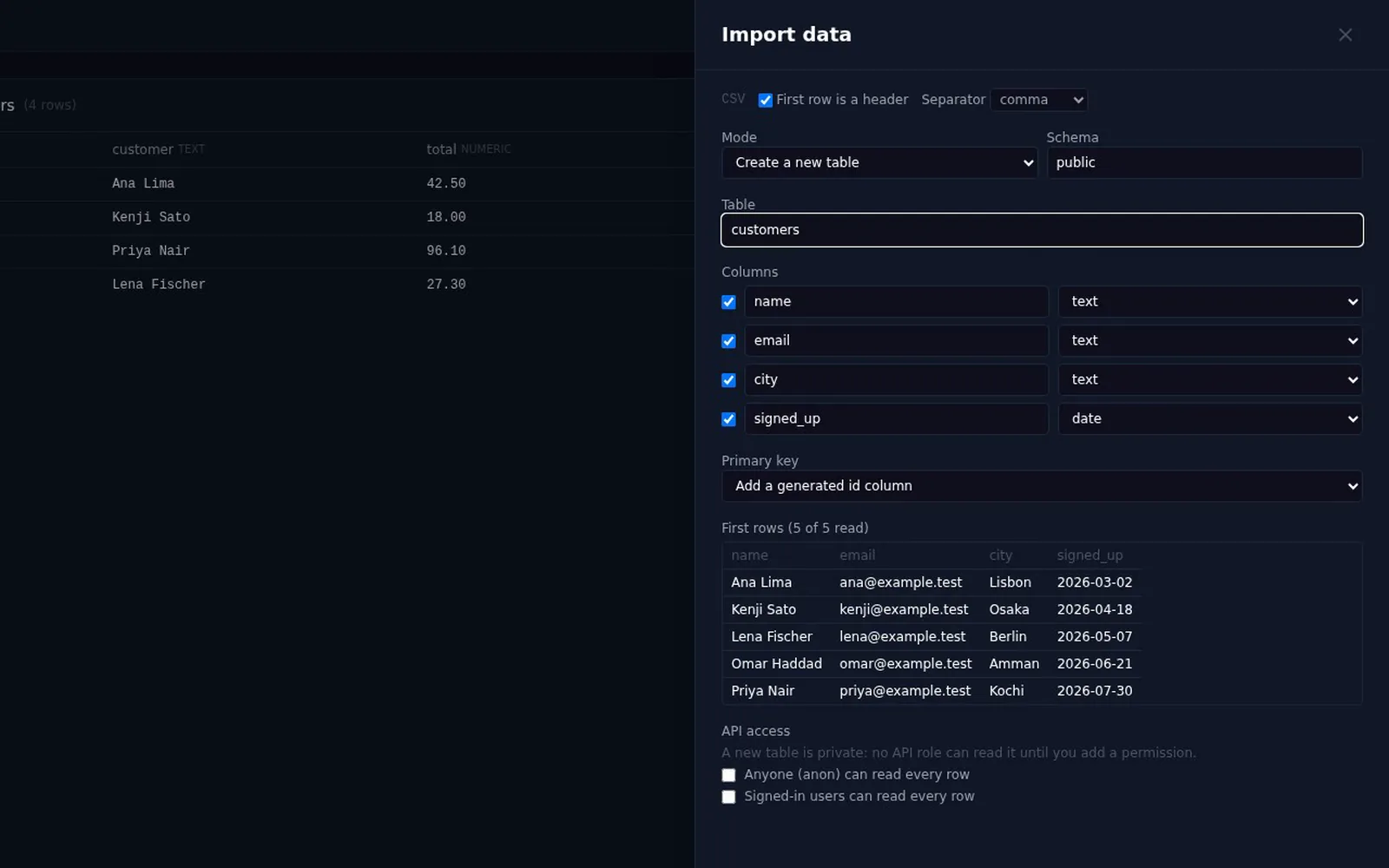
- Import CSV, TSV and Excel files, or link a Google Sheet
High availability
Writes that survive a failover.
Paid plans run your database as three or five copies with synchronous replication. A write is acknowledged once a standby has it, so losing the primary does not lose it.
- Free: one instance
- Standard: three instances; Enterprise: five
- Synchronous replication between them
- Switchover for minor version upgrades
one instance
1 primary · 2 standbys
1 primary · 4 standbys
DocumentDB
Documents, on Postgres.
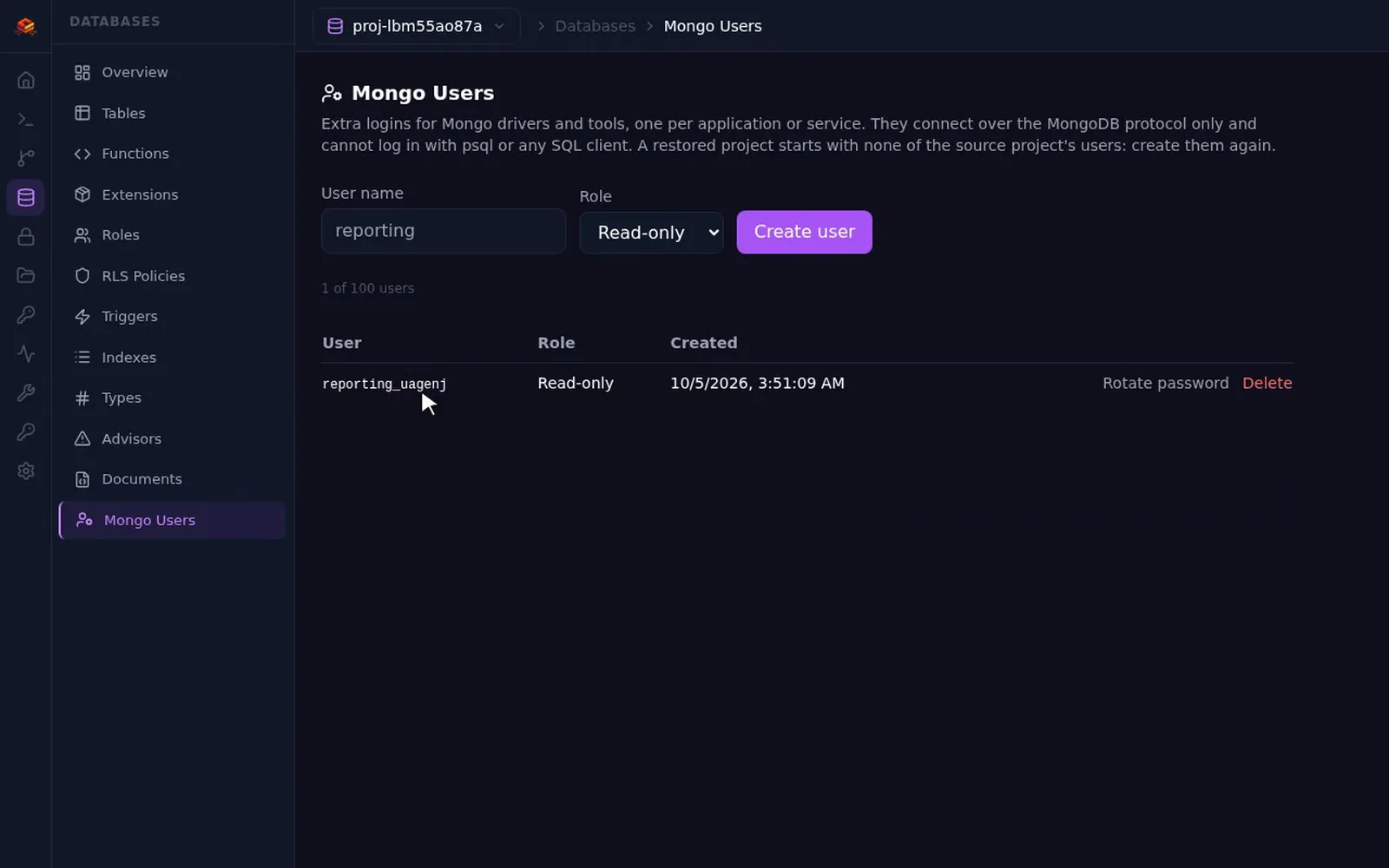
A DocumentDB project gives you a MongoDB-compatible document database, built on Postgres, with its users managed from Studio.
- MongoDB-compatible document database
- Mongo users managed in Studio
- Read-write or read-only roles per user
Backups & DR
Backups you have actually restored.
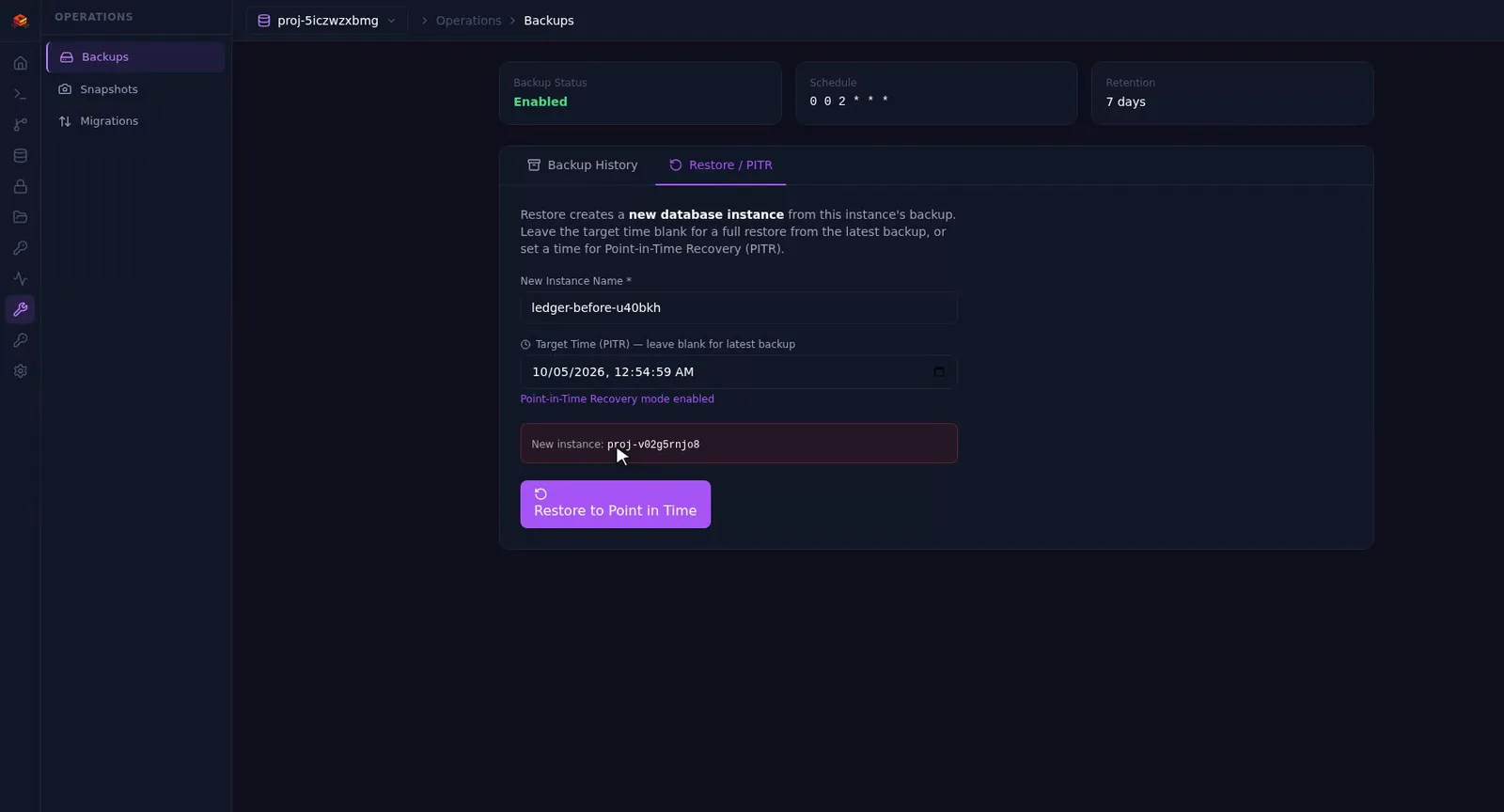
Scheduled base backups and continuous WAL archiving let you restore to a point in time. A disaster-recovery drill runs every week to prove the backups restore.
- Scheduled base backups plus WAL archiving
- Point-in-time restore
- Restore into a new project, leaving the original untouched
- Automated weekly disaster-recovery drill
GraphQL & REST
Your schema is the API.
Every table gets GraphQL and REST endpoints the moment it exists. Each GraphQL request compiles to a single SQL query, however deep the relationships go.
- Filtering, ordering and pagination
- Aggregates and relationships
- Nested inserts: an order and its lines in one mutation
- REST with PostgREST-style filters
GraphQL request
{
  publicOrders(limit: 10) {
    id total
    publicOrderItems {
      quantity
      publicProductId { name }
    }
  }
}One SQL statement
select jsonb_build_object(
  'publicOrders', (select jsonb_agg(...)
    from orders
    -- items and products nested
    -- as correlated subqueries
))import { db } from "./db";
await db.auth.signInWithPassword({ email, password });
// One request, one SQL query: the order, its lines and their products.
const { publicOrders } = await db.graphql.query<{ publicOrders: Order[] }>(`{
publicOrders(orderBy: { id: DESC }, limit: 10) {
id status total
publicOrderItems { quantity publicProductId { name } }
}
}`);import { db } from "./db";
// The same table over REST (PostgREST-style filters).
const paid = await db.rest.get<Order[]>(
"/orders?select=id,total&status=eq.paid&limit=10",
);
await db.rest.patch("/orders?id=eq.1042", { status: "shipped" });import { createClient } from "@excalibase/sdk";
export const db = createClient({
url: "https://api.example.com", // your platform's base URL
projectId: "proj-a1b2c3d4e5", // the project's id
key: "esk_pub_live_...", // publishable key: safe in browsers
});Permissions
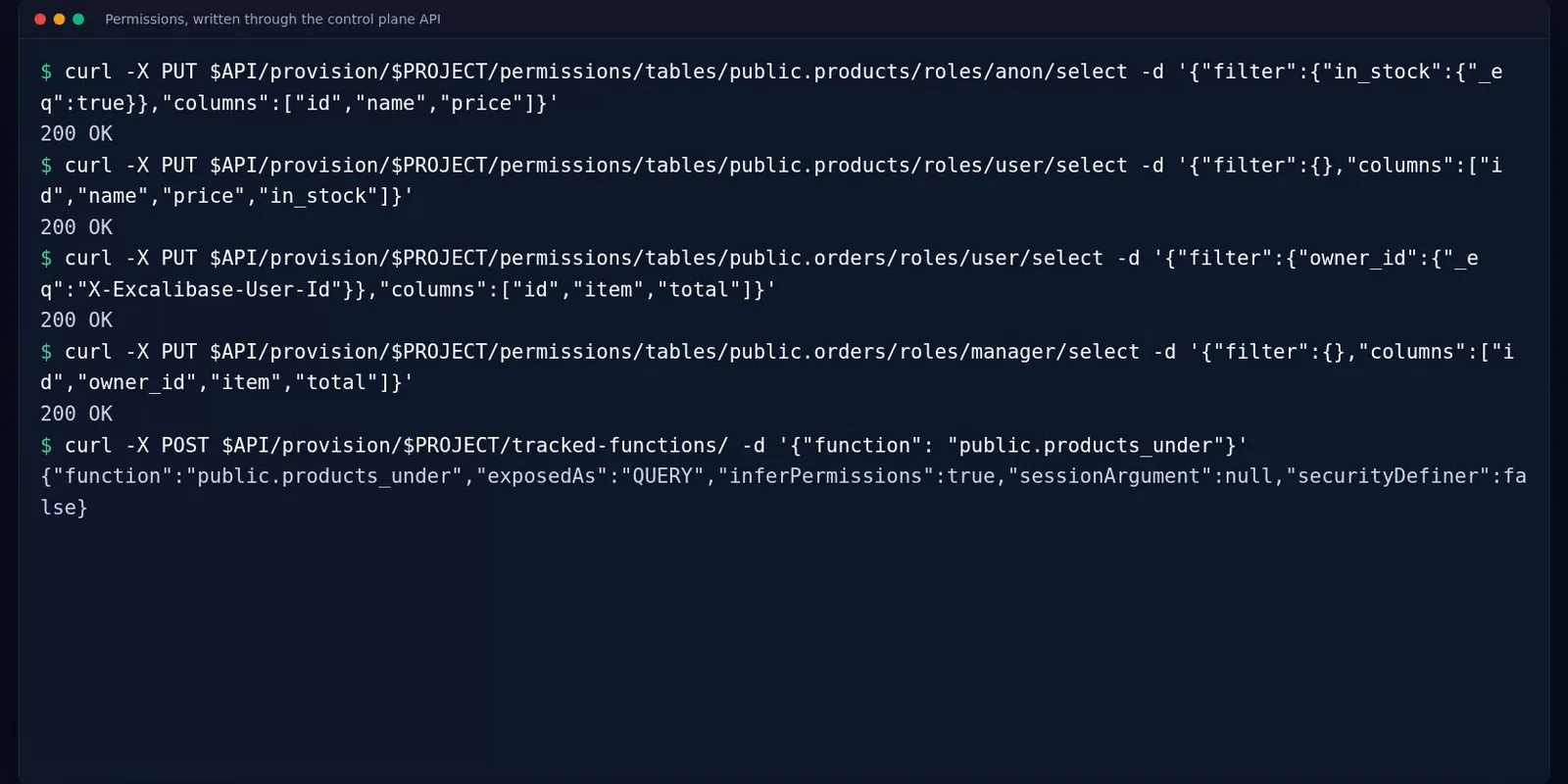
Closed by default. Open on purpose.
Nothing in a project is reachable until a role is allowed to reach it. Rules are set per table, per role and per operation, with row filters and column lists.
- select, insert, update and delete rules per role
- Row filters and allowed columns for each rule
- Custom roles issued by the auth service
- Tracked functions with per-role access
- Public read is one click away when you want it
Realtime
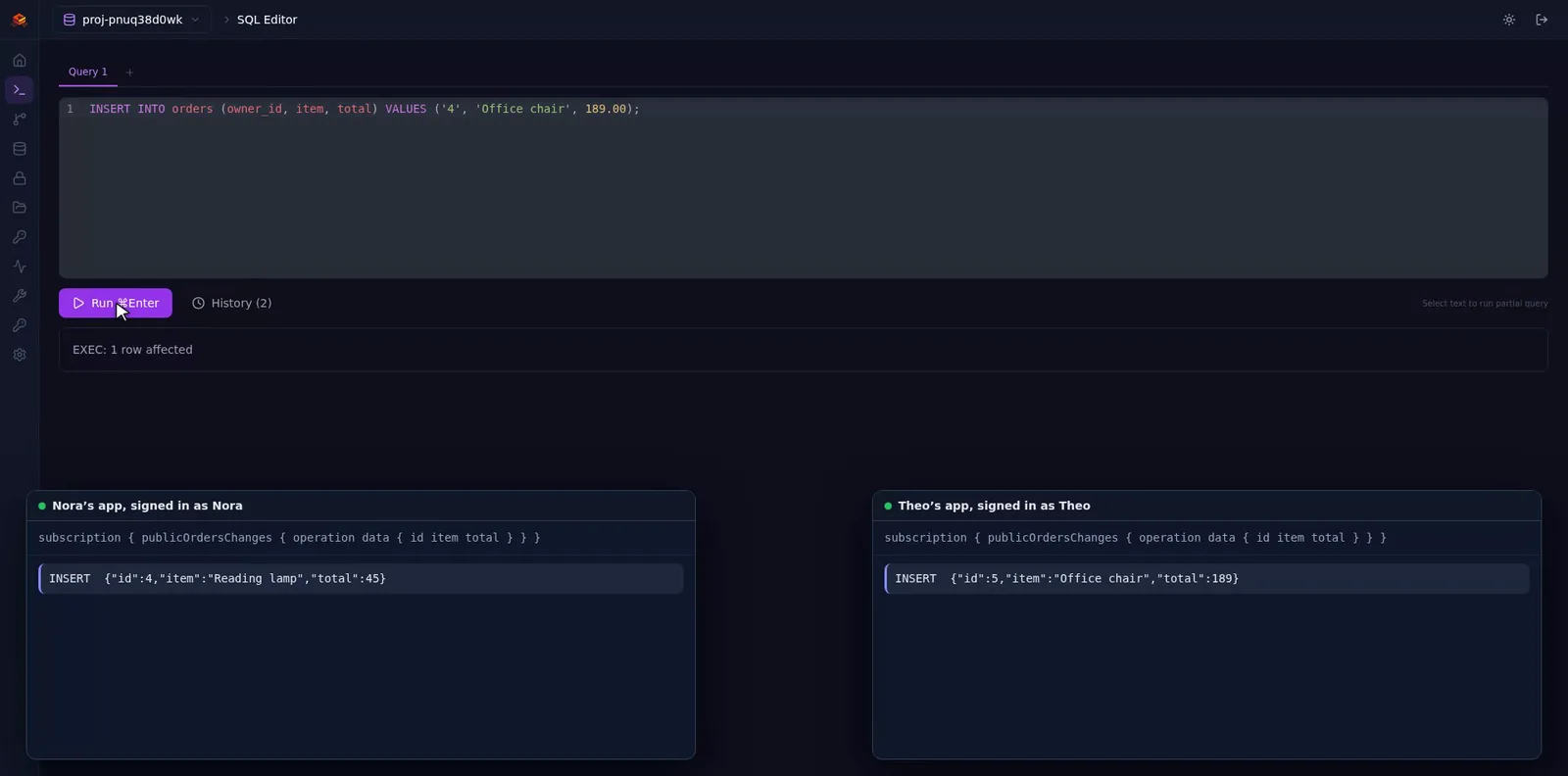
Live changes, only the rows you may see.
Subscribe to inserts, updates and deletes over WebSocket. The same permissions that guard queries filter the stream, so each user gets only their changes.
- GraphQL subscriptions per table
- Filtered by the subscriber’s role and row rules
- Turned on per table in Studio
import { db } from "./db";
// Each change reaches only callers whose permission covers the row.
const sub = db.graphql.subscribe<{ publicOrdersChanges: Change }>(
"subscription { publicOrdersChanges { operation table data } }",
{
next: (data) => render(data.publicOrdersChanges),
error: (err) => console.warn("updates stopped", err),
},
);
// later
sub.unsubscribe();Studio
A console for the whole team.
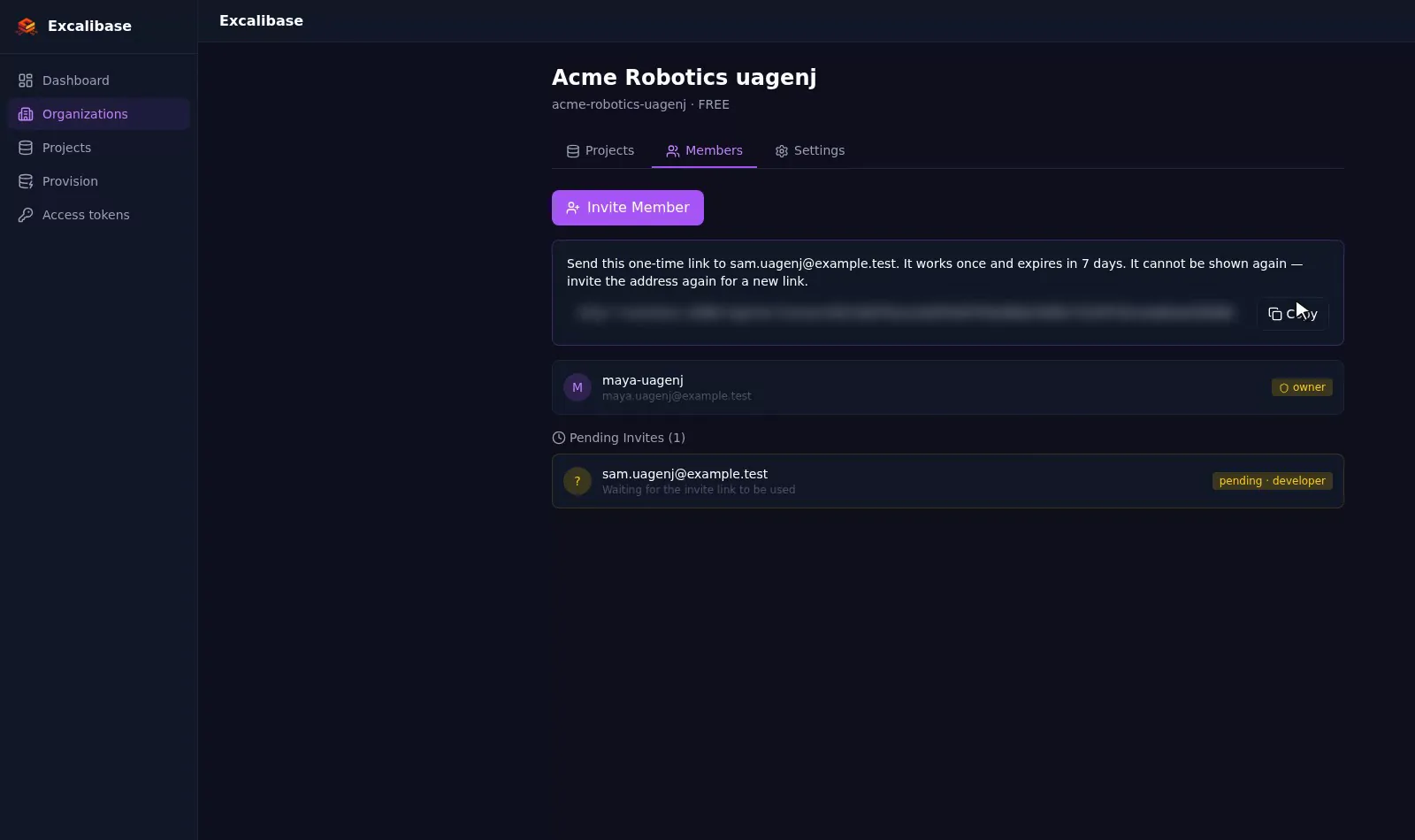
Studio is where you create projects and run them. Sign up with a verified e-mail, then bring your team in.
- Organizations, with teammates invited by a one-time link that expires in 7 days
- Roles for each member
- Google and GitHub sign-in, when a platform admin turns them on
- Personal access tokens you can create, list and revoke
- SDK keys for each project
Storage
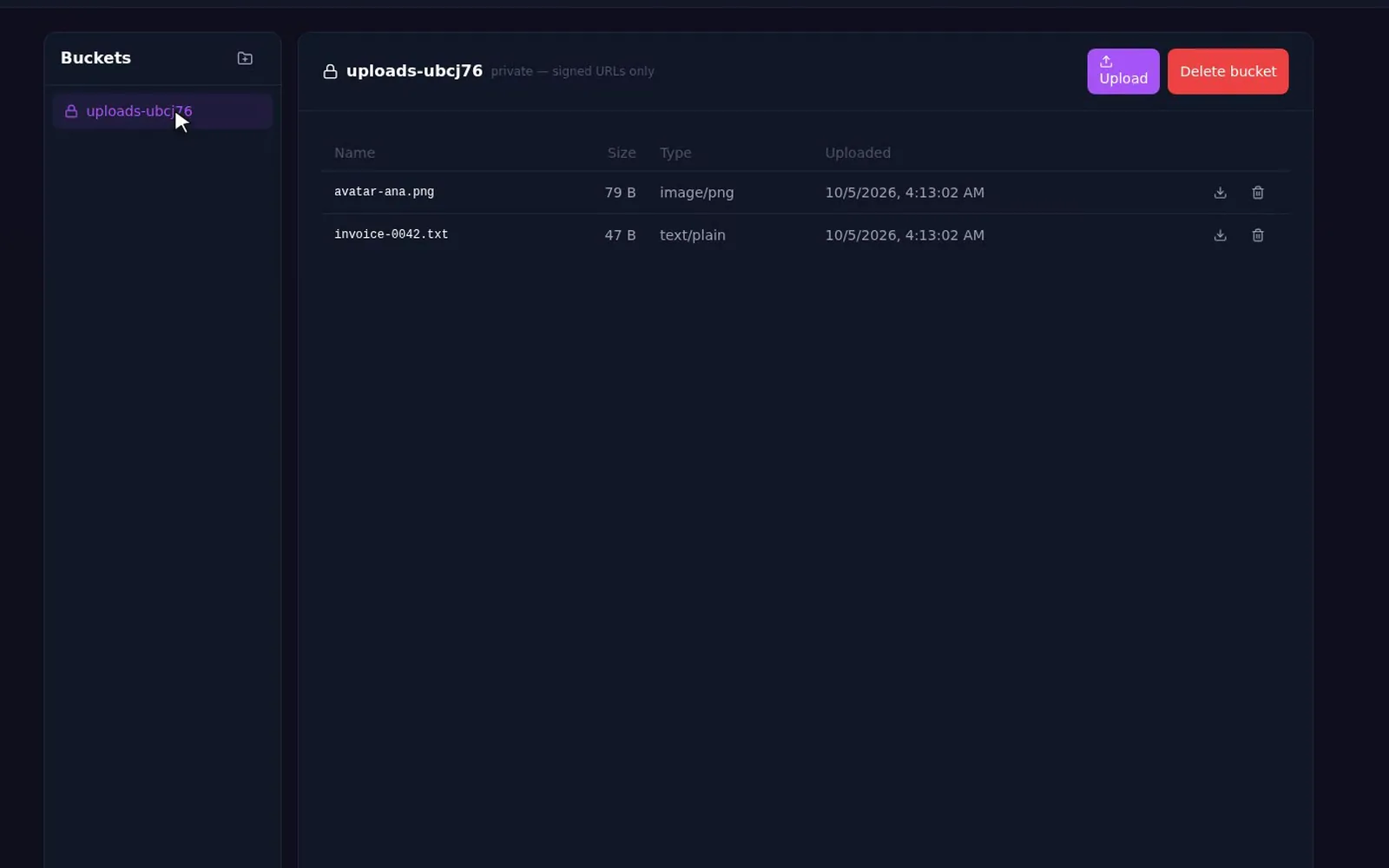
Files, under the same rules.
Each project has its own storage. Your app or your functions issue upload URLs, and storage rules decide who may write and read.
- Files stored per project
- Signed upload URLs issued by apps and functions
- Access governed by rules you write
import { db } from "./db";
// Mints a signed upload URL through your project's functions
// (system.generateUploadUrl), PUTs the bytes, then completes the upload.
const { storageId } = await db.storage.uploadFile(file);
await db.graphql.mutation(`mutation {
updatePublicProducts(where: { id: { eq: 7 } }, input: { image_id: ${JSON.stringify(storageId)} }) { id }
}`);Edge functions
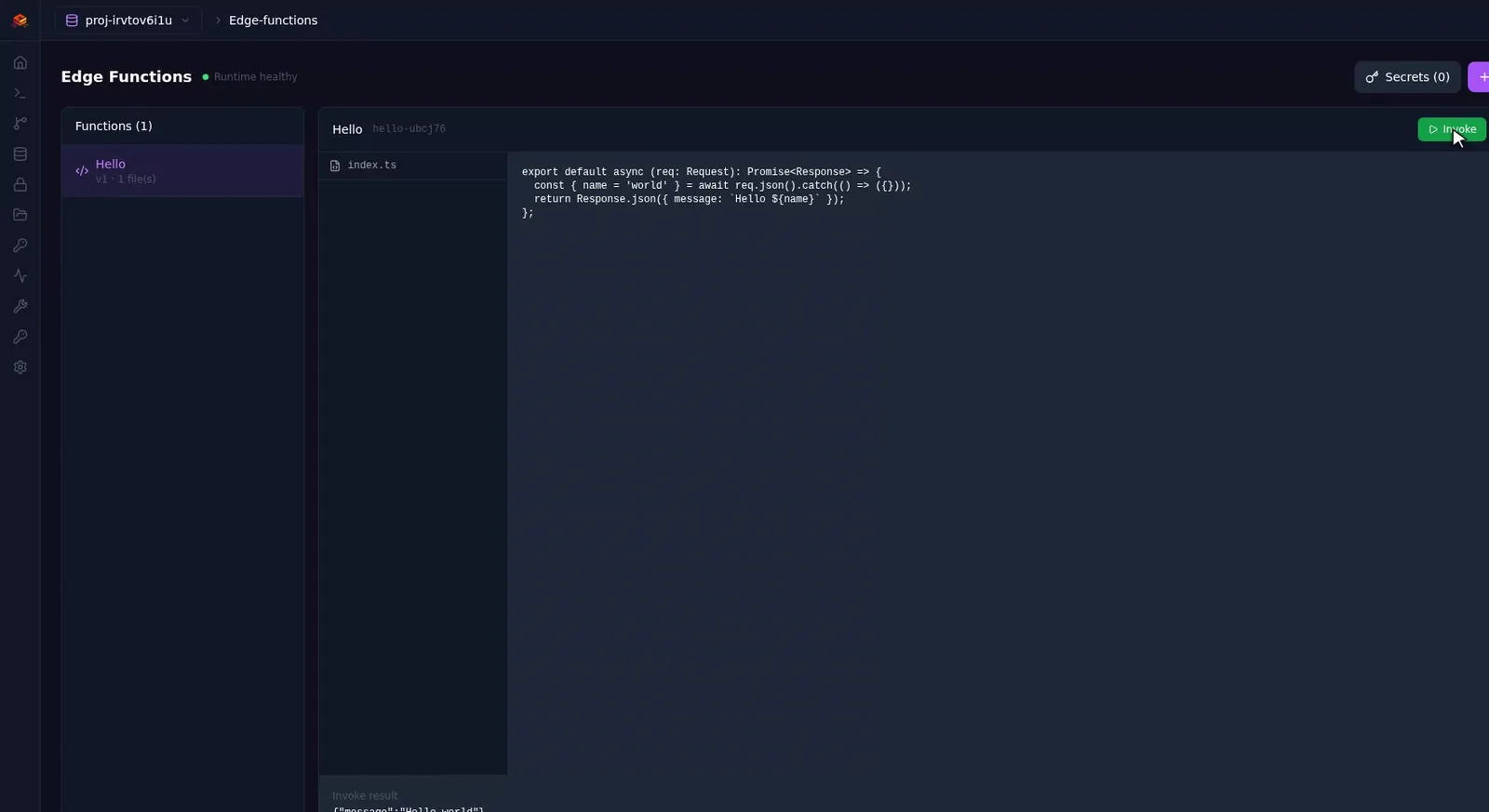
Server code that knows who called.
Write TypeScript functions that run on Deno, per project. Call them straight from the browser: CORS is set per project, and each call carries the caller's verified identity.
- TypeScript on Deno, deployed per project
- Callable from browsers with CORS per project
- The caller’s verified identity in every call
// images.urls: short-lived links for product pictures, for every caller,
// guests included. A storage id is only known to someone who may read the
// product row naming it; an id of another project resolves to nothing.
import { FunctionError, query } from "npm:@excalibase/server@0.13.0";
import { z } from "npm:zod@^3.22.0";
import { imageIdsRefusal, uniqueImageIds } from "./storage-rules.ts";
export default query({
args: z.object({ storageIds: z.array(z.string()) }),
handler: async (ctx, { storageIds }) => {
const refusal = imageIdsRefusal(storageIds);
if (refusal) throw new FunctionError(refusal.status, refusal.message);
const ids = uniqueImageIds(storageIds);
const urls = await Promise.all(ids.map((id) => ctx.storage.getUrl(id)));
return Object.fromEntries(ids.map((id, i) => [id, urls[i]]));
},
});import { db } from "./db";
// POST {url}/functions/v1/{projectId}/images.urls with the caller's token.
const links = await db.functions.images.urls({ storageIds: [storageId] });SDK
One typed client for the whole project.
@excalibase/sdk 0.11.0 on npm. It builds every path from your platform URL and project id, and keeps the session fresh.
- GraphQL queries, mutations and realtime subscriptions
- End-user auth: sign-up, password sign-in, API keys, session refresh
- Storage uploads and typed calls to your functions
- Browser and Node 18+; secret keys are refused in a browser
import { createClient } from "@excalibase/sdk";

export const db = createClient({
  url: "https://api.example.com",   // your platform's base URL
  projectId: "proj-a1b2c3d4e5",     // the project's id
  key: "esk_pub_live_...",          // publishable key: safe in browsers
});
await db.auth.signUp({ email, password, fullName });
db.auth.onAuthStateChange((event, session) => {
console.log(event, session?.user?.email ?? "anon");
});npm install @excalibase/sdk graphql-requestContainers
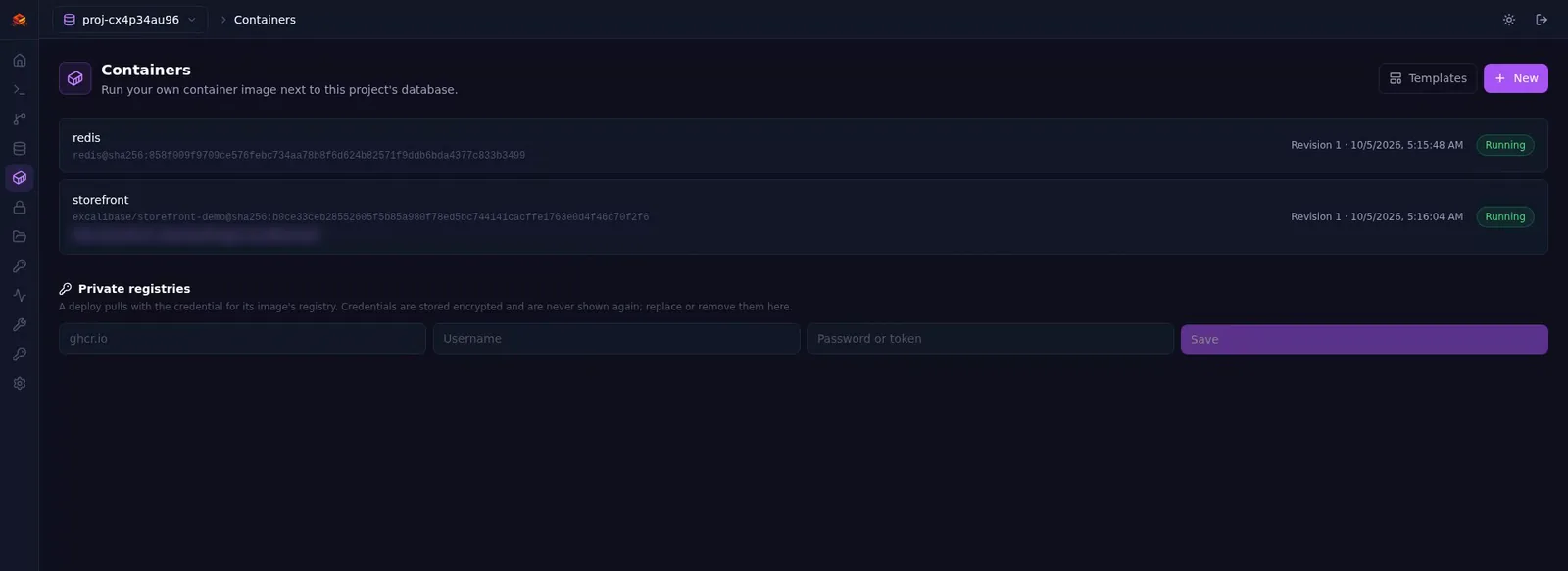
Any container, next to your data.
Deploy any container image into your project. Your apps reach the database over a private network and face the internet only if you say so.
- Deploy from public or private registries
- Public URL or internal-only
- Redeploy or roll back any revision
- Pause and resume
- Apps per project: 2 on Free, 5 on Standard, 20 on Enterprise
- Any image
- Public or private registry, with saved credentials
- Networking
- Public URL or internal-only; a private network between a project’s apps
- State
- Persistent disk, internal ports, sizes per plan
- Operate
- Live logs, redeploy or roll back per revision, pause and resume
- Domains
- Custom domains with automatic certificates
- Isolation
- Every app runs sandboxed in gVisor
Build with an AI agent
Let the agent build it. Ship it from CI.
An open-source platform as a service your agent can drive: the same API and the same checks as Studio.
See apps built this wayMCP
Your coding agent works on the project.
Point Cursor, Claude Code, Codex or Gemini CLI at one URL with a token. It reads the schema, runs SQL and migrations, sets permissions and deploys, limited to what the token allows.
Pipelines
Ship from the CI you already use.
GitHub Actions, GitLab CI or Jenkins builds and pushes the image; Excalibase deploys it to Containers by digest, with logs and roll back for every deploy.
Showcase · 2:51
A whole store, on one project.
A full store built on Excalibase: orders placed with nested inserts, live order updates, a staff role and product pictures uploaded to Storage.
How it works
One project, a stack of services, one set of rules.
Each project gets its own database and services; every API request runs as a role through that project's permissions.
01Clients
Your apps
browser and server, through @excalibase/sdk
Studio
the console your team signs in to
02Project services
API engine
GraphQL, REST, realtime; permissions on every request
Auth
end-user sign-up, sign-in, tokens and API keys
Edge functions
TypeScript on Deno, CORS per project
Storage
files behind signed upload URLs and rules
Containers
your images, sandboxed in gVisor
03Data
Postgres
15, 16 or 17; 1, 3 or 5 instances
DocumentDB
MongoDB-compatible, on Postgres
Change capture
row changes stream to realtime
Backups
base backups + WAL, restore to a point in time
Control plane: organizations, projects, provisioning, backups, DR drills, plans and limits.
Plans
Three plans. Prices after beta.
During the public beta, hosted projects run on the Free plan. Plans differ in how many copies of your database run and how many apps a project can host.
| Plan | Free | Standard | Enterprise |
|---|---|---|---|
| Postgres instances | 1 | 3 | 5 |
| Replication | — | synchronous | synchronous |
| Apps per project | 2 | 5 | 20 |
| Sizes and disk | per plan, limits enforced | per plan, limits enforced | per plan, limits enforced |
Self-hosting
Run the whole platform on your own iron.
Install it on one server with Docker or rootless Podman, or on Kubernetes when you need several machines and high availability.
Kubernetes
The full platform, with high availability. One Helm chart; we run it on RKE2 with Cilium and gVisor. Kubernetes guide
Single host
One server with Docker or rootless Podman, one command to configure. Single-host guide
| Feature | Kubernetes | Single host |
|---|---|---|
| Postgres databases, GraphQL and REST | Yes | Yes |
| DocumentDB | Yes | Yes |
| Containers (app hosting) | Yes | Yes |
| High availability (3 or 5 instances) | Yes | No |
| Point-in-time recovery | Yes | No |
| Edge functions and realtime | Yes | No |
Open source
Open at the core. Read it, fork it, run it.
The control plane and Studio, the API engine, auth, change capture and the SDK are public repositories under the Apache License 2.0.
- excalibase/excalibaseGo · React · Apache-2.0Control plane and Studio: projects, provisioning, backups, containers, the web console.
- excalibase/excalibase-graphqlJava · Apache-2.0API engine: GraphQL and REST generated from the schema, permissions, realtime.
- excalibase/excalibase-authGo · Apache-2.0End-user auth for each project: sign-up, sign-in, tokens, API keys.
- excalibase/excalibase-watcherGo · Apache-2.0Change-data capture: streams row changes that feed realtime.
- excalibase/excalibase-sdk-jsTypeScript · Apache-2.0TypeScript SDK: GraphQL, realtime, auth, storage uploads, functions.
- @excalibase/sdknpm · v0.11.0The SDK, published on npm. Typed client for GraphQL, realtime, auth, storage uploads and functions.
Roadmap
What’s live, and what’s next.
MySQL projects and Sites shipped in v1.6.0. Next are AI workflows, then bug fixing. Watch the work on GitHub.
- 01Available
MCP for AI coding tools
Cursor, Claude Code, Codex and Gemini CLI work with your project directly.
- 02Available
Pipelines
Deploy from your CI: GitHub Actions, GitLab CI, Jenkins. Builds on git push later.
- 03Available
Docker & Podman parity
The full platform on a single Docker or rootless Podman host.
- 04Available
MySQL projects
MySQL 8.4 as a database engine beside Postgres and DocumentDB. Shipped in v1.6.0.
- 05Available
Sites (web hosting)
Upload a static frontend build and it is live at <name>.excalibase.app. Shipped in v1.6.0.
PlannedAI workflows · Bug fixing
Start with one project.
Keep all of it.
Sign up for Studio during the free public beta, or install the platform on your own cluster.
By signing up you agree to the Terms of Service and Acceptable Use Policy.